

I run a small bookkeeping practice out of the converted dining room off our kitchen, and by last December that room had a problem. Client invoices from three years back, old bank statements I'd meant to deal with, insurance paperwork for a car we sold in 2023, it had all piled up into two cardboard boxes I kept telling myself I'd handle 'this weekend.' In January I finally bought the Amazon Basics 12-sheet cross-cut shredder, the one with overheat protection, mostly because it was rated to actually keep up with a real backlog instead of jamming after ten pages like the tiny one I'd had for years. Six months and I'd guess close to sixty separate shredding sessions later, I know exactly where this machine earns its keep and where it doesn't.
This isn't a spec-sheet writeup. I'm not going to tell you it shreds into 5/32-inch cross-cut confetti and call it done. I'm going to tell you what it's actually like to run this thing weekly while managing four active bookkeeping clients, a filing cabinet that finally has room to breathe, and a husband, Tom, who still tries to shred a stapled packet without checking first.
The Quick Verdict
A genuinely capable home office shredder that handles real paperwork volume without constant jamming, though the run-time limit and bin capacity mean it's built for regular sessions, not one massive purge.
Amazon Check Today's Price →That Paper Pile Isn't Going to Shred Itself.
You don't need a bigger filing cabinet or a better system for 'dealing with it later.' You need a shredder that can actually take twelve sheets at once and not overheat halfway through. Here's the exact one I've used every week for six months.
Amazon Check Today's Price on Amazon →How I've Used It, Six Months In
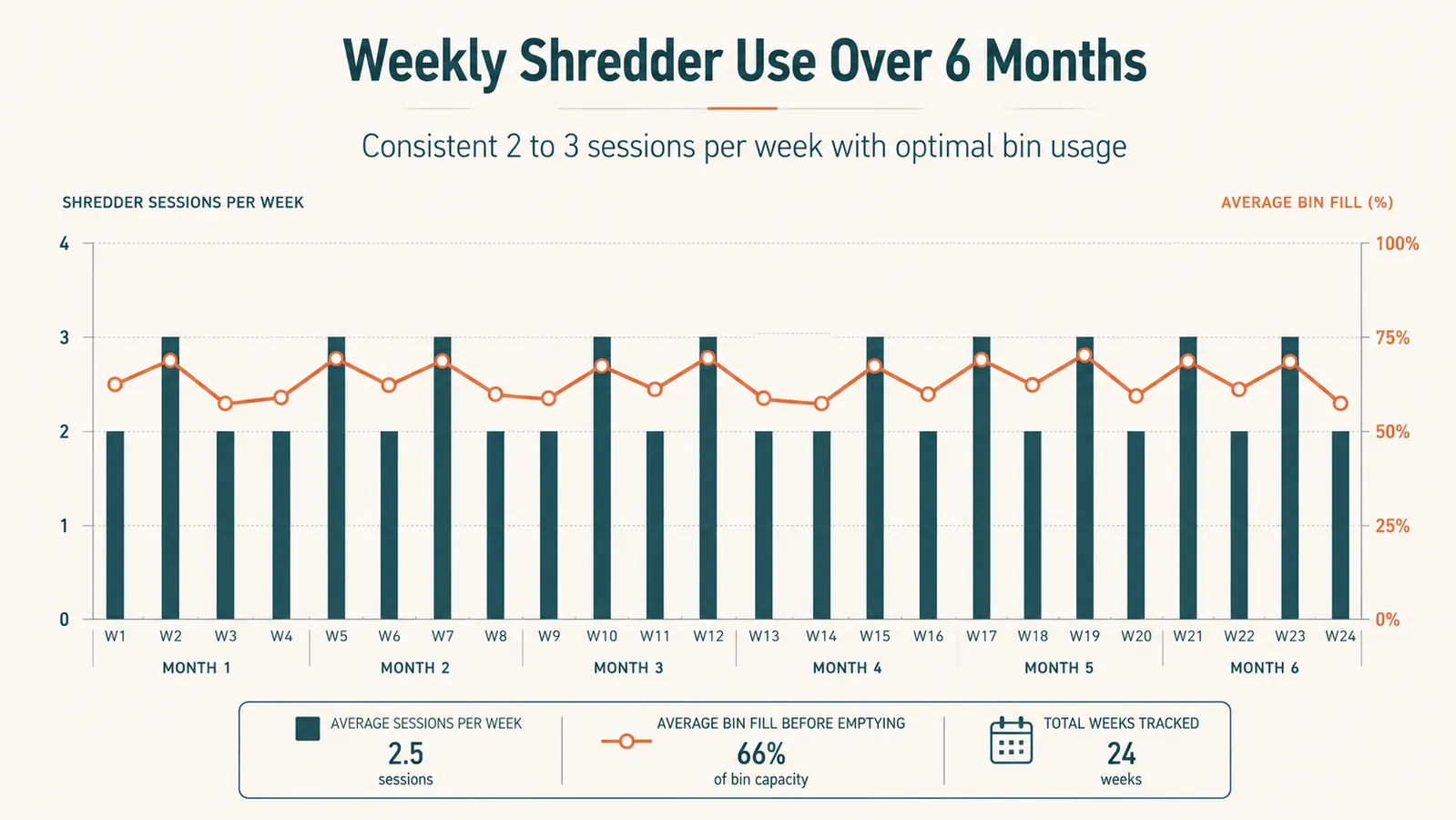
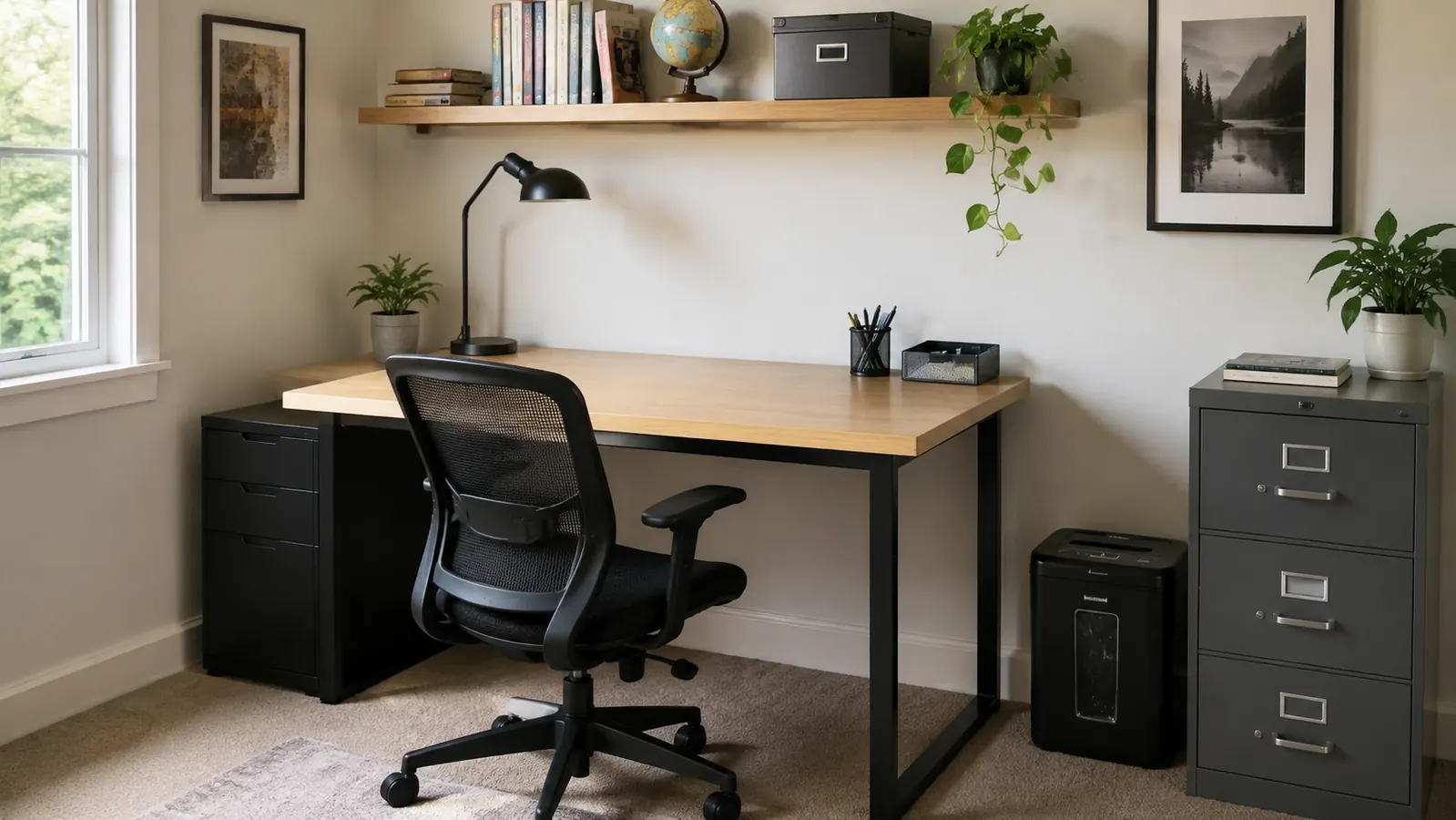
It lives on the floor next to my filing cabinet, tucked under the corner of my desk where it's out of the way but still within arm's reach. My routine is simple: every Friday afternoon, after I close out the week's client files, I go through whatever's landed in my 'to shred' tray, old drafts of invoices, voided checks, bank statements once I've confirmed the numbers reconciled, and I run them through in batches of eight to ten sheets at a time. That weekly rhythm is what actually got the paper pile under control, not one heroic afternoon of shredding everything at once.
In February I finally tackled those two boxes from the dining room cleanup, three years of old client paperwork I no longer needed to retain. I did it over four separate sessions spread across two weeks, about fifteen minutes each time, because the machine needs a cooldown after roughly two to three minutes of continuous feeding. That pacing annoyed me at first, then I realized it was actually forcing me to sort as I went instead of blindly feeding a whole stack, which meant fewer mistakes.
It's also become the default answer whenever Tom asks 'can you shred this' about an old credit card offer or an expired insurance card, since it handles those along with paper without me having to dig out scissors. By May it wasn't a special-occasion appliance anymore, it was just part of how paperwork exits our house, which is really the only test that matters for whether something earns a permanent spot on the floor of a home office this small.
Our fifteen-year-old daughter has even started using it for her own school paperwork, old worksheets, a graded test she doesn't need to keep, a permission slip from a field trip months ago. Watching a teenager willingly clear her own clutter without being asked twice is not something I expected from a shredder, but it's become part of how our whole house handles paper now, not just my office.
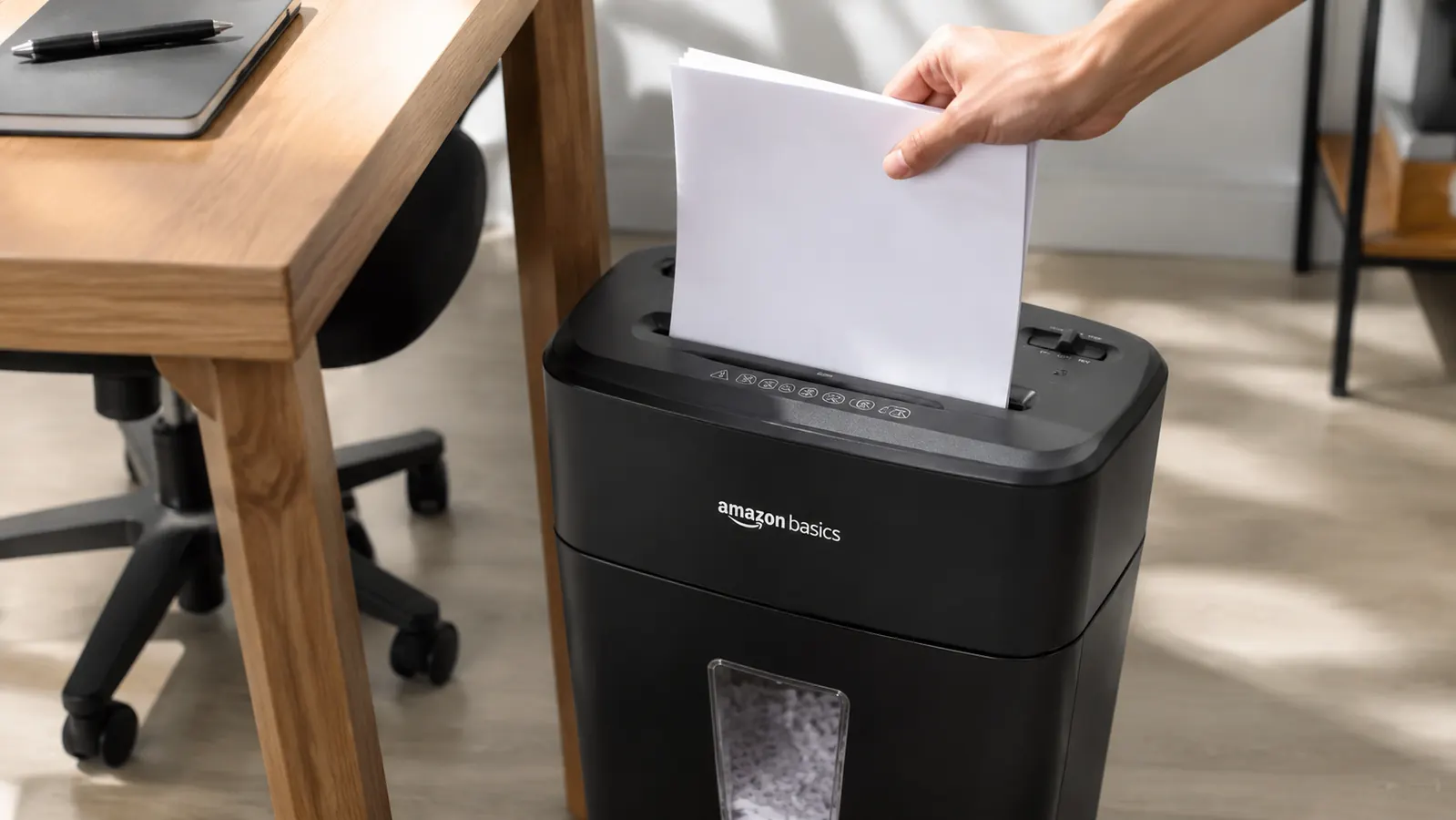
What '12-Sheet Cross-Cut' Actually Means Week to Week
The 12-sheet rating refers to standard 20-pound copy paper, and in practice I can feed about ten to twelve sheets at once before the motor starts to strain, which lines up with what the box promises. Cross-cut means it shreds into small confetti-style pieces rather than long strips, and for anything with client account numbers or a signature on it, that distinction actually matters. A strip-cut shredder leaves pieces you could theoretically tape back together. This doesn't.
There's a second feed slot built into the top for credit cards, and I've used it maybe half a dozen times for expired cards and one old driver's license Tom needed gone. It handles a single card cleanly without any extra effort, though I wouldn't try feeding more than one at a time.
The overheat protection is the feature I actually notice the most, mostly as an amber indicator light that comes on when the motor needs to cool. It's not subtle, and the first few times it happened I thought I'd broken the thing. Now I know it's just telling me to take a five-minute break, which in my case usually means going and refilling my coffee before I finish the stack.
I also appreciate that it accepts small paper clips and the occasional stray staple without complaint, since realistically nobody pulls every single fastener out of every page before shredding. I still try to remove what I can, mostly to protect the blades over the long run, but knowing it won't seize up over one missed paper clip takes a lot of the second-guessing out of a quick Friday session.
How It's Performed Over Six Months of Regular Use
The blades themselves have handled everything I've thrown at them without a single jam that I couldn't clear myself in under a minute. That includes paper with a stray staple I forgot to pull, which the manual says it can handle in small amounts, and which it did, though I try not to make a habit of it since I don't want to dull the blades faster than necessary.
The pull-out bin holds roughly six gallons, and at my weekly pace it fills up in about three to four sessions before I need to empty it. I keep a small trash bag liner in it, which makes dumping the shredded paper into our recycling far less messy than trying to tip the bin directly.
Noise level is moderate, loud enough that I don't run it during a client call, but not so loud that it's disruptive if Tom's in the next room on his own work call. I've never had it trip a breaker or smell like anything overheating, even during that four-session backlog purge in February, which was the closest I've come to genuinely stress-testing it.
By June I noticed the shred quality was still just as fine and consistent as it was on day one, no ragged edges, no half-cut sheets sneaking through whole. That consistency after roughly sixty sessions is what actually convinced me this wasn't a machine that would quietly wear out after the first few months the way my old cheap one did.
Where This Fits Best in a Home Office
This shredder makes the most sense for anyone dealing with a steady, recurring stream of sensitive paperwork rather than one giant annual cleanout. Bookkeeping and tax prep, obviously, but also anyone handling client contracts, old medical bills, or household financial documents who wants a habit of shredding weekly instead of stockpiling a drawer 'to deal with eventually.'
It's also proven itself for the everyday household stuff that piles up regardless of what you do for work, pre-approved credit offers, old bank statements, expired medical insurance cards. Anyone sharing a home office with a partner who generates their own version of a paper trail will get real use out of having one shredder that both people trust to just work when they need it.
If your home office doubles as a landing spot for the whole family's paperwork the way ours does, kids' school forms, a spouse's random receipts, your own client files, this earns its floor space by being the one machine nobody has to think twice about using.
The Tradeoffs I Didn't Expect
The cooldown requirement is the real limiting factor. If you're picturing running eighty sheets through in one sitting, that's not how this machine wants to be used. It wants short, regular sessions, and once I adjusted my own habits to match that, it stopped feeling like a limitation and started feeling like the reason my paper pile never got out of control again.
The bin, while a decent size, isn't huge, which means if you're doing a genuine one-time purge of years of documents, plan on emptying it multiple times in one sitting. I underestimated this the first time and ended up with shredded paper overflowing onto the floor before I caught it.
One more small thing: it doesn't have an auto-reverse jam-clearing button, so on the rare occasion paper feeds in crooked, I've had to gently pull it back out by hand. It's happened maybe three times in six months, and it's never damaged anything, but it's worth knowing you may need to intervene manually every so often.
It's also not a whisper-quiet machine, and I wouldn't set it up right behind you during a video call the way you might a quiet desk fan. I've learned to run it in short bursts between meetings rather than during them, which fits my schedule fine but is worth knowing if your calendar is wall to wall most days.
Alternatives I Considered
Before buying, I looked seriously at the Bonsaii shredder, which sits in a similar price range with a slightly different sheet capacity and bin design. I put together a full side-by-side comparison of the Amazon Basics and the Bonsaii if you want the exact differences in run time, bin size, and noise level, because on paper the two look close and the small stuff is what actually matters once you're the one emptying the bin every week.
I also considered just using a local shredding service that some banks and office supply stores offer for free a few times a year, but with client paperwork generating a steady weekly stream rather than one annual batch, having a machine at home made more sense for how my actual workflow runs. If you want the fuller case for why a shredder matters beyond just tidiness, I laid out ten specific reasons it protects a home office that go well past identity theft alone.
What I Liked
- Handles a genuine 10-12 sheet stack without jamming
- True cross-cut shred, not reconstructible strips
- Credit card slot works cleanly for expired cards and old IDs
- Overheat protection has never once let it actually overheat in six months
- Quiet enough to run near an occupied home office without disrupting calls
Where It Falls Short
- Needs a cooldown after two to three minutes of continuous feeding
- Bin fills faster than expected during a big one-time purge
- No auto-reverse button for crooked paper jams
- Not built for shredding dozens of sheets in one uninterrupted sitting
The best fix for a home office paper pile wasn't a bigger filing cabinet or a better folder system. It was a fifteen-minute habit, once a week, with a machine that actually keeps up.
Who This Is For
If you handle recurring sensitive paperwork, client files, tax documents, household financial records, and you want a shredder that can take a real stack without babysitting every single sheet, this is worth a look. It's also a smart pick for anyone finally tackling a backlog of old documents who's willing to break the job into a few short sessions instead of one marathon afternoon, and for any household where more than one person needs a shredder they can trust without a tutorial.
Who Should Skip It
If you're hoping to feed several hundred sheets through in one continuous run, a home-office-grade shredder like this one will frustrate you with cooldown pauses, and you'd be better served by a commercial-grade unit built for that kind of volume. And if your paper needs are genuinely rare, a handful of documents a year, a local shredding event or a manual cross-cut hand tool might be all you actually need instead of a dedicated machine taking up floor space.
Six Months In, It's Still My Friday Habit
This is the exact Amazon Basics shredder I've run every week since January, through a three-year paperwork backlog and every client invoice since. See today's price and current availability on Amazon.
Amazon Check Today's Price on Amazon →