
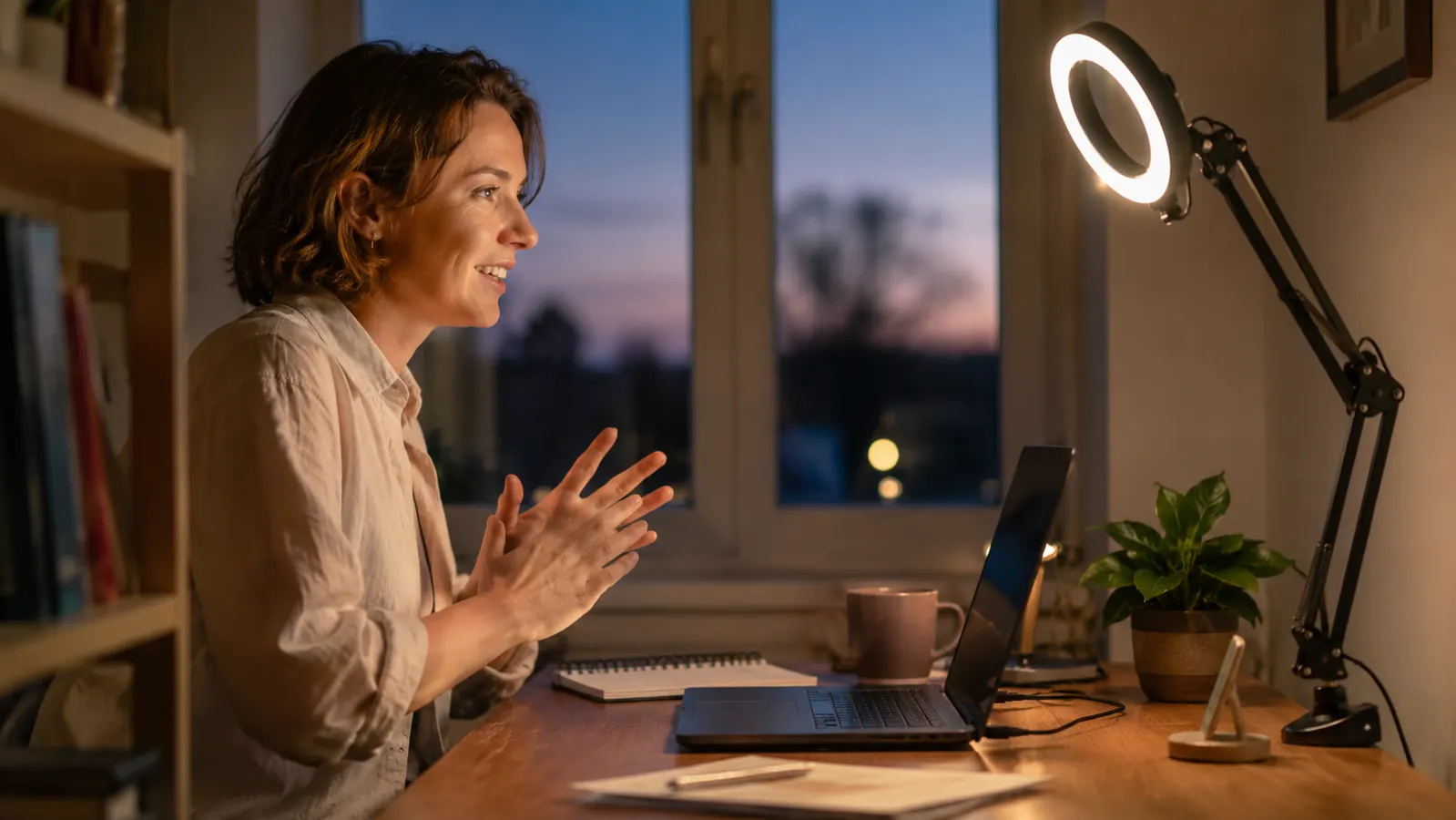
Six months ago I sat through a client renewal call looking like I'd been lit by a mini fridge. My home office is a converted spare bedroom with one window that faces west, so by two in the afternoon every video call turned my face into a shadow puppet against a bright window behind me. I tried flipping on the overhead ceiling light. I tried angling my laptop toward the glass. I tried nothing at all and just hoped nobody noticed. None of it worked, and I could tell from people's faces on the call that they noticed. That was the week I finally ordered the UBeesize 12 inch ring light, the version with the overhead phone mount and the small tripod stand, and it has sat clamped to the edge of my desk for every video call since.
I run a small marketing consulting practice out of that spare bedroom, four to five video calls most weekdays, plus the occasional recorded training video for clients who want a walkthrough instead of a meeting. So this light doesn't get used once in a while for a special occasion. It gets turned on every single morning around 8:45, right before my first call, and it usually doesn't get turned off until I close my laptop for the day. Six months of that kind of daily use is a real test for a product like this, and I want to walk through exactly what held up, what didn't, and whether I would buy it again.
The Quick Verdict
A genuinely useful lighting fix for anyone stuck on video calls in a room with bad natural light. The stand and clamp screw are the weak points, not the light itself.
Amazon Check Today's Price →Tired of Looking Washed Out on Every Video Call?
The UBeesize ring light fixes bad overhead lighting in about two minutes of setup. See today's price and current availability on Amazon.
Amazon Check Today's Price on Amazon →How I've Used It
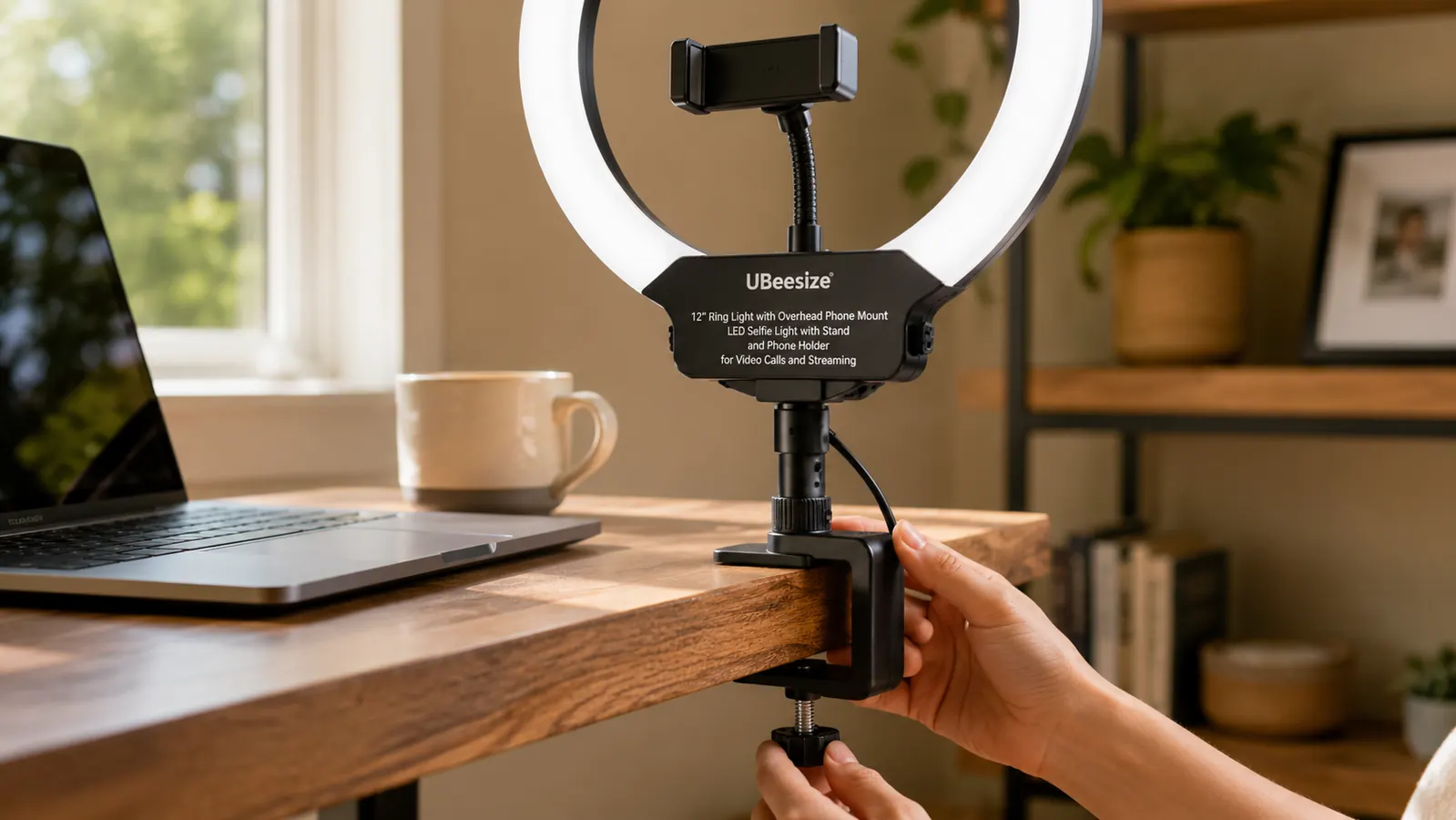
The setup took me about ten minutes the first time, mostly because I was deciding where to clamp it. The ring light comes with a desk clamp and a separate tripod stand, and I started with the clamp attached to the side of my monitor stand, ring light angled down slightly at about eye level. That's still where it lives six months later. The phone holder in the center of the ring is the part I use least, since I do calls on my laptop, but I do use it about once a week when I'm recording a short vertical video for a client's social account and want my phone propped up at the same height as the light.
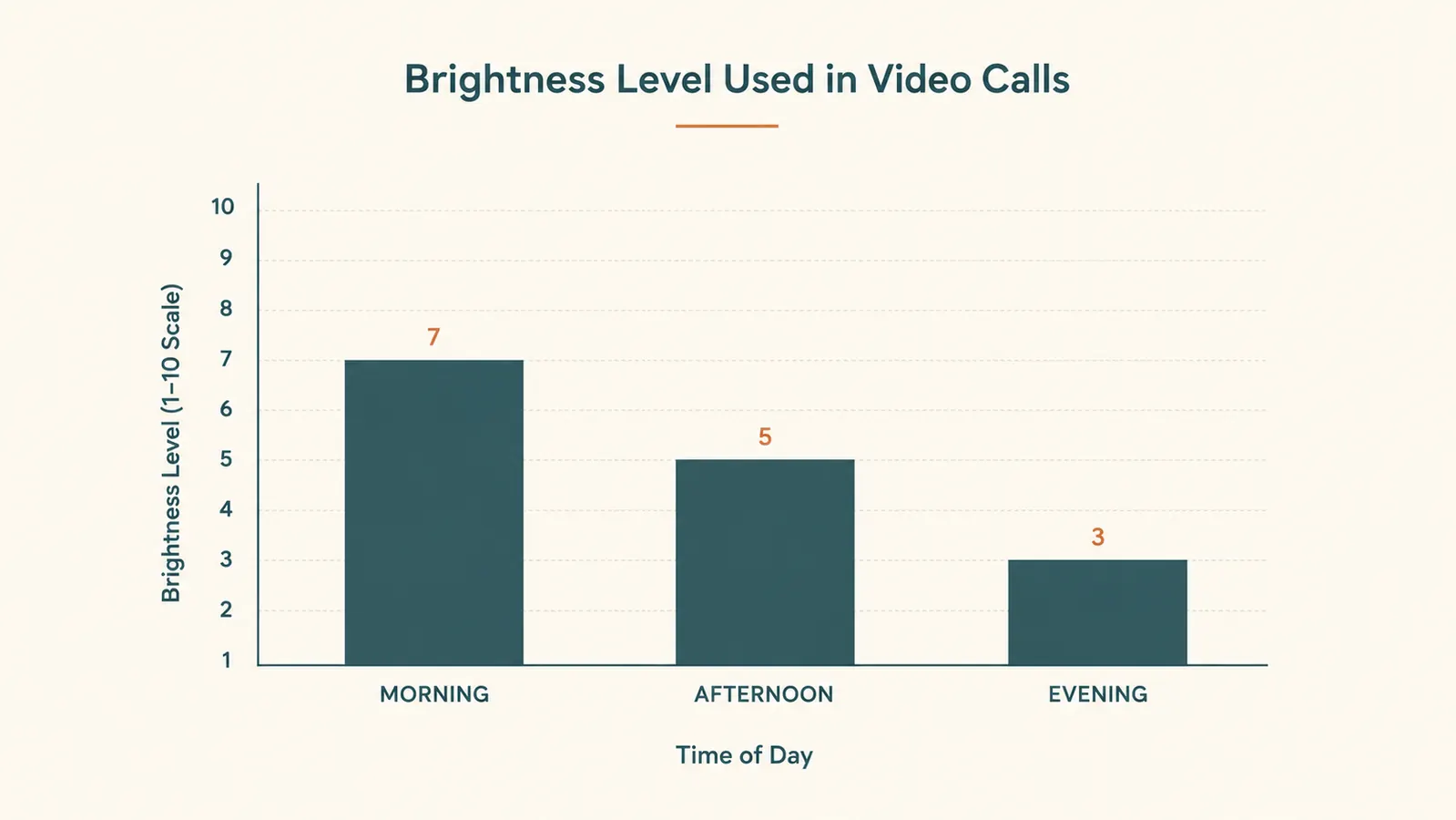
The light itself runs off USB, plugged into a power strip under my desk, and it has a small in line remote clipped near my keyboard that controls brightness and color temperature. I keep it on the warmest of the three color settings, somewhere around level 6 or 7 out of 10 on brightness, because the office also has a floor lamp on and the ring light doesn't need to do all the work. On darker winter mornings I bump it up closer to level 9.
The daily routine is boring in the best way. Clamp stays put, remote stays within reach, light goes on before the first call and off after the last one. I have moved my desk twice in six months, once to repaint the room and once to make space for a new file cabinet, and both times the clamp came off and went back on without any fuss.
The Build Quality, Six Months of Being Moved Around
The ring itself is plastic with a metal-look finish, and it has held up better than I expected given how often it gets bumped by my elbow when I reach for a coffee mug. No cracks, no yellowing, and the LED ring still lights evenly around the whole circle with no dark spots or flickering. That last part matters more than people think. I've had cheaper lights in the past develop a slight flicker that shows up as a strobing effect on recorded video, and this one hasn't done that.
Where it's less impressive is the clamp mechanism. The screw that tightens the clamp onto the desk has loosened on its own twice, both times after a few weeks of being adjusted daily. It's a five second fix with a coin or a flathead screwdriver, but it's the kind of thing that makes me nervous the light is going to tip forward mid call one day. It hasn't happened yet, but I've started checking the tightness on Monday mornings as part of my setup routine, which tells you something.
The tripod stand that came in the box is the piece I stopped using almost immediately. It's fine for a flat surface, but it takes up more desk real estate than I have to spare, and the desk clamp does the same job in a fraction of the footprint. If your desk has an edge thin enough to clamp onto, skip the tripod entirely and go straight to the clamp.
The Light Quality: What It Actually Fixes on a Video Call
Here's the part that made the difference. Before the ring light, my face on a call looked flat and shadowed under the eyes and jaw, the kind of lighting that makes you look tired even on a day you slept fine. The ring shape spreads light evenly around your face instead of throwing it from one direction, which is why it kills those under eye shadows that a single desk lamp never could.
The three color temperature settings matter more than I expected walking in. The coolest setting is almost bluish and made my skin tone look slightly gray on camera, so I never use it. The middle setting is close to daylight and works fine during the day. The warmest setting is the one I use most, especially for late afternoon calls, because it matches the warmer light already coming through my window and doesn't create that split lighting look where half your face reads one color temperature and the other half reads different.
Brightness range is wide enough that I've never wanted more or less than what's available. Around level 3 or 4 works for early morning calls when the room already has decent natural light. By level 8 or 9 it's bright enough to use as the only light source in the room after dark, which I've tested more than once during a late call with a West Coast client.
One thing worth knowing: the light is genuinely bright at the top of its range, closer to a camera flash than a desk lamp if you look directly into it. I learned to angle it slightly above eye level rather than straight at my face, pointed down just enough that I'm lit without staring into it.
The Phone Mount and Overhead Arm: A Use Case I Didn't Expect to Need
I bought this ring light for video calls and assumed the phone mount in the center would go mostly unused. That changed about two months in when a client asked for short vertical clips explaining a marketing concept, the kind of thing meant for their company's internal training library. I clipped my phone into the center holder, angled the whole ring light toward my desk setup, and had a lit, steady, hands free recording setup in under a minute.
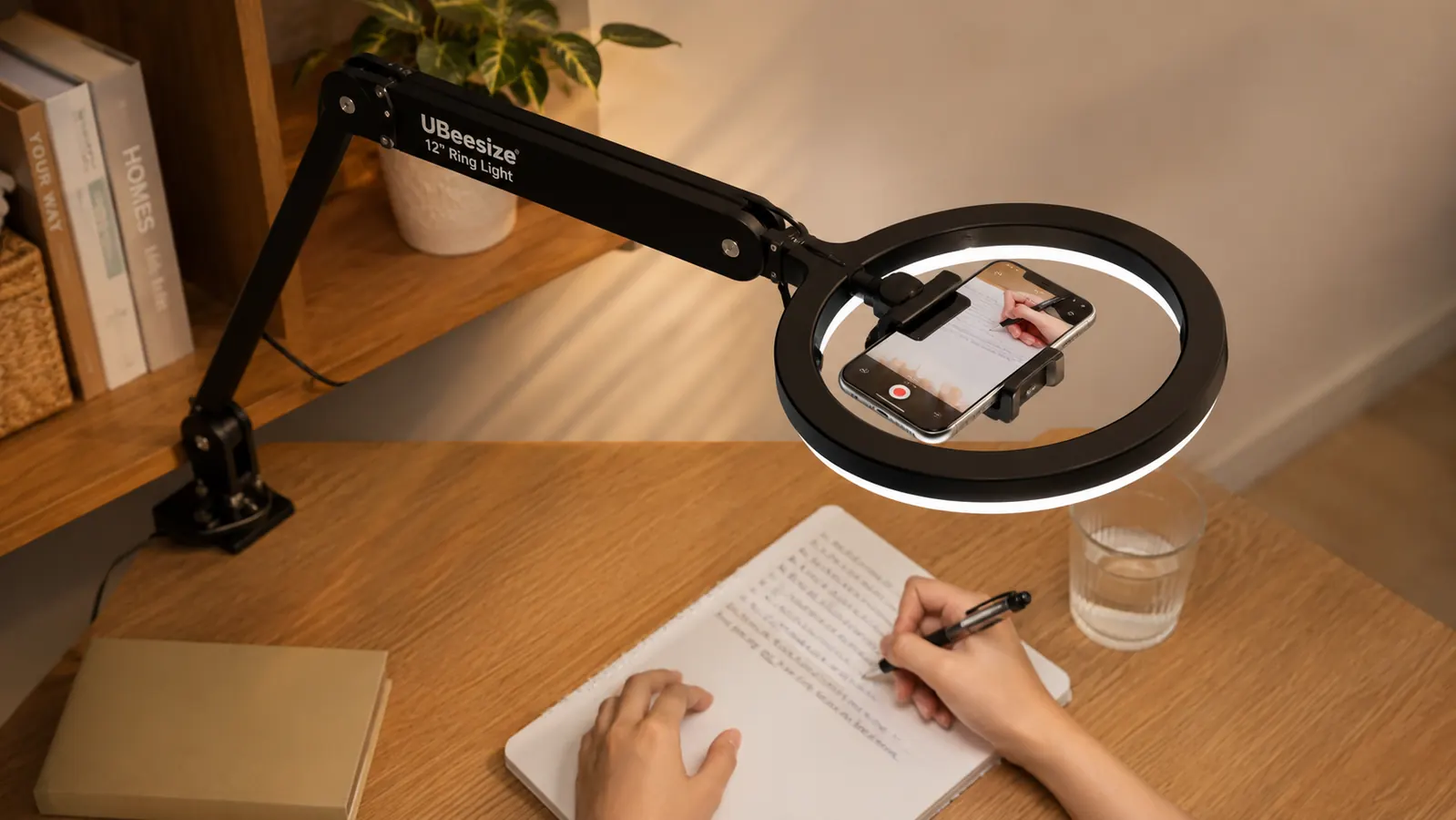
The overhead arm, which lets you swing the phone out over a flat surface, has been useful for a different reason than I expected. I use it about twice a month to record a tutorial where I'm filming my own hands typing or writing on paper, rather than filming my face. For that kind of shot the ring light doubles as both the mount and the lighting, which saved me from buying a separate phone tripod.
The mount itself grips the phone firmly enough that I haven't had a drop in six months, though I always double check the tension before walking away from a longer recording. It fits my phone with a slim case on, but a thicker case with a popsocket or grip attached would probably need to come off first.
Where It Falls Short
The remote control is the weakest accessory in the box. It's wired, not wireless, which is fine, but the cable is short enough that I have to keep it clipped near my keyboard rather than tucked somewhere out of sight. It also only controls brightness and color temperature in fixed steps rather than a smooth dial, so you're choosing between ten preset brightness levels instead of finding the exact level you want.
There's no memory function, meaning every time I unplug it to move desks or clean under my monitor, it resets to a default brightness and color setting and I have to dial it back in. It takes about five seconds, but after six months that's a habit I've had to build rather than a feature I could ignore.
And the clamp, as mentioned, needs an occasional retightening. If UBeesize fixes one thing on the next version, I'd want it to be a clamp that holds its tension longer without a screwdriver check-in.
Alternatives I Considered First
Before buying this one, I looked at a clip-on style video light that mounts directly to a laptop lid, similar to what a lot of streamers use. It's smaller and more portable, which appealed to me since I sometimes work from a coffee shop, but the light from a laptop-mounted clip sits too close to the camera and creates a flatter, harsher look than a ring light positioned a bit further away. For someone who never leaves their desk, the ring light wins on light quality. For someone who moves between a home office and a laptop bag, the clip-on is worth a look, and I cover that comparison in more detail in a separate side by side.
I also considered just buying a nicer desk lamp and calling it done, since I already had one. The problem is a regular lamp throws light from one direction, which is exactly the flat, shadowed look I was trying to get away from. The ring shape is the actual mechanism that fixes the problem, not just more light in the room.
What I Liked
- Even, flattering light with no visible flicker on recorded video
- Three color temperature settings cover most lighting scenarios I've run into
- Desk clamp holds firmly on my desk edge and survived two desk moves
- Phone mount doubles as a hands-free recording rig for vertical video
- Wide brightness range works as a standalone light source after dark
Where It Falls Short
- Clamp screw has loosened twice in six months and needs an occasional check
- Remote is wired and resets to default settings when unplugged
- Tripod stand included in the box takes up more desk space than the clamp
- Brightest setting is close to camera-flash intensity if aimed straight at your face
The ring shape is the actual mechanism that fixes flat, shadowed lighting. Extra brightness from a regular lamp was never going to solve that.
Who This Is For
This makes the most sense for anyone doing video calls or recorded video from the same desk most days, especially in a room with a window that fights your lighting rather than helping it. If you're on camera for work three or more times a week, the daily setup cost is basically zero since it just stays clamped in place, and the difference on camera is immediate and easy for other people on the call to notice, even if they can't quite explain why you suddenly look better lit.
Who Should Skip It
If you're mostly on audio only calls with the camera off, or you already have solid natural light hitting your face without anything blocking or backlighting you, you probably won't notice enough difference to justify adding another gadget to your desk. And if you need something fully portable for filming outside your office, look at a smaller clip-on light instead. This one is built to live clamped to one desk, not to travel in a bag.
See Why This Is the First Thing I Turn On Every Morning
After six months of daily video calls, this is still the light clamped to my desk. Check today's price and current availability on Amazon before it's back on backorder.
Amazon Check Today's Price on Amazon →